
Soumitra Sarkar
-
Posts
32 -
Joined
-
Last visited
Content Type
Profiles
Case studies - Free
Case studies - Premium
Resources
Insider
Courses
Forums
Store
Everything posted by Soumitra Sarkar
-
Please suggest me some PFE which give me soft highlight with soft shadow which can I apply in T-Cam workflow . As a know popular PFE like kodak 238, kodak 2393 & Fuji 3510 gives us Crispy Highlight with clear Black , warm richer contrast with softer shadow , cooler overall tone with soft contrast respectively .But I need some different PFE, means I need soft highlight & shadow, robust look with low contrast . From where can I get it . And I want to know how to use in T-Cam workflow as all the known resolve PFE made for display referred grading..
-
Hi everyone, I’m a professional Baselight Colorist, and I would really appreciate some advice from experienced colorists who have worked extensively with both scene-referred and telecine-style/display-referred workflows. Recently, I’ve been facing an interesting problem in my grading work. I personally prefer working in a scene-referred workflow because, for me, it tends to preserve a beautiful sense of texture, depth, separation and dimensionality in the image. I feel that I have more control over the image and can create a modern, clean and cinematic result. However, in the Kolkata market where I currently work, many clients and DoPs still prefer what I would describe as a traditional telecine-style image: softer overall texture flatter contrast less apparent micro-detail/sharpness smoother highlight and tonal transitions less “digital” crispness slightly more compressed/dense image texture a more traditional film/telecine feeling Personally, I sometimes feel this look is somewhat “old school”, but that is not really the point of my question. It is a look that my clients want, and I want to be able to reproduce it properly. My Problem The strange thing is that I can often achieve the requested look quite easily when I work in a telecine-style workflow. For example, I have sometimes graded the same project twice: Workflow A – Telecine-style I get the softer, flatter, smoother image that the DoP is looking for, and the DoP is very satisfied. Workflow B – Scene-referred / T-Cam I can achieve the colour, contrast and exposure that I want, but I struggle to reproduce that same texture and image character. The result often remains too clean, too sharp, too dimensional or too “modern” compared with the telecine version. This has happened on several projects, and honestly, sometimes I am not satisfied with my own result either. I have tried various Baselight tools and approaches, including: Texture Equaliser Texture Highlight Texture Blend reducing apparent sharpness manipulating contrast highlight compression different tonal shaping approaches combinations of texture processing with the grade But I still haven’t found a reliable method to reproduce the characteristic telecine-style softness/flatness while staying within my preferred scene-referred workflow. What I Am Really Trying to Understand I don’t simply want to “blur” the image. I suspect the difference is much deeper than sharpness. Perhaps the telecine-style appearance is coming from a combination of: contrast response + colour separation + highlight behaviour + local contrast + MTF/acutance + grain/noise behaviour + display transform + tonal compression + colour processing. So my question to experienced Baselight/FilmLight users is: How would you approach recreating this type of telecine-style image inside a scene-referred workflow? Specifically, I would love to understand: What is actually responsible for the perceived softness of a telecine-style image? Is the difference primarily caused by the tone mapping / display transform, or is there something fundamentally different happening to the image texture? How would you build a scene-referred “telecine look” in Baselight? Would you approach it through the scene-referred DRT/LMT, or would you create a separate look layer after the scene-referred transform? How important are local contrast and micro-contrast compared with simply reducing sharpness? Are there particular Baselight operators or combinations of operators that you have found useful for this? How would you reproduce the smooth highlight roll-off and flatter density without destroying the dimensionality of the image? Is it possible to create a reusable telecine-style look/LMT that can be applied consistently across different cameras and projects? Another Important Point I don’t want to simply tell my clients that the telecine-style look is “old” or “not future-proof.” That doesn’t really solve the problem. If the client or DoP wants that visual language, I should be able to create it properly as a colorist. At the same time, I don’t want to abandon the advantages I get from a scene-referred workflow just to reproduce the look. So I’m trying to find the best technical approach: Scene-referred image pipeline → controlled transformation → telecine-style texture / tonal response rather than: Scene-referred workflow → abandon it → use telecine workflow I would be very interested to hear how experienced colorists approach this. If possible, I would especially appreciate practical Baselight node/layer-stack examples, operator combinations, LMT/DRT approaches, or references to workflows you have personally used. I’m not looking for a simple “add blur” solution. I’m trying to understand what makes the telecine-style image look different at a fundamental image-processing level, and how we can reproduce that character while maintaining a modern scene-referred workflow. Thanks in advance to everyone who takes the time to share their experience.
-
Need Guidance on Dolby Vision to DCI-P3 and IMAX Workflow
Soumitra Sarkar replied to Soumitra Sarkar's topic in Baselight
Thank you sir for your valuable feedback. As per your suggestions, at first I finished my HDR grade then I just change my viewing colourspace to nomal DCI P3 & offset. Now I have to face with some problem. I notice that After convert the colour space to P3 & offset , the pick highlight of a shot have no details, to get back the details in highlight I need to regrade the shot in the first layer where I do the Base grade. On the other hand when I do the DV pass it’s getting back the pick highlight but looks muddy to see in P3 projector. need your suggestions once again. Waiting for feedback ***one more things, if I increase the saturation & brightness of a shot in first layer too much , then I insert a layer and reduce the pick highlight with BaseGrade tool & reduce the saturation with hue shift tool , is that right procedure ? Recent a DoP force me to follow this procedure but I said it’s wrong procedure to grade. Am I right or wrong ? -
Hi everyone, I’m a Baselight colorist working on an upcoming feature film where the primary output is for theatrical release (DCI-P3), but the DoP insists on grading in Dolby Vision HDR first. I initially suggested grading in P3 first since the target audience is theatre-goers, but he’s fixed on starting with Dolby Vision. I’m also aware that Dolby Vision SDR trims do not translate well to cinema P3 DCP Now, there’s an additional request to deliver a version optimized for IMAX — and here’s where I need some guidance. I’ve never delivered for IMAX before, and I want to ensure: The DCI-P3 theatrical output is not compromised, since it’s the main release. I produce a proper IMAX version without just handing over the standard P3 DCP. My Setup: Sony BVM-X300 for Dolby Vision HDR grading. Barco DCI-P3 projector for theatrical grading. please suggest popular workflow & guide
-
How to render embedded matte DPX for color grading. Suppose I have chroma shot. Now I have to render embedded matte DPX after remove the green matte for DI software
-
Can I render .exr file as log from Baselight
Soumitra Sarkar replied to Soumitra Sarkar's topic in Baselight
Ok, sir... Thank you. But some other software like assimitate Scratch can't give any banding in Image in log space. exr file -
Can I render .openExr file from Baselight like log because my vfx vendors want to log file. Also I have to render only cg. exr files and grade have to done in some where else. So we can't do BaseGrade for vfx render.plz help with giving the scene and render setting for. Exr( log ) render. Although as I know .exr File itself linear file.
-
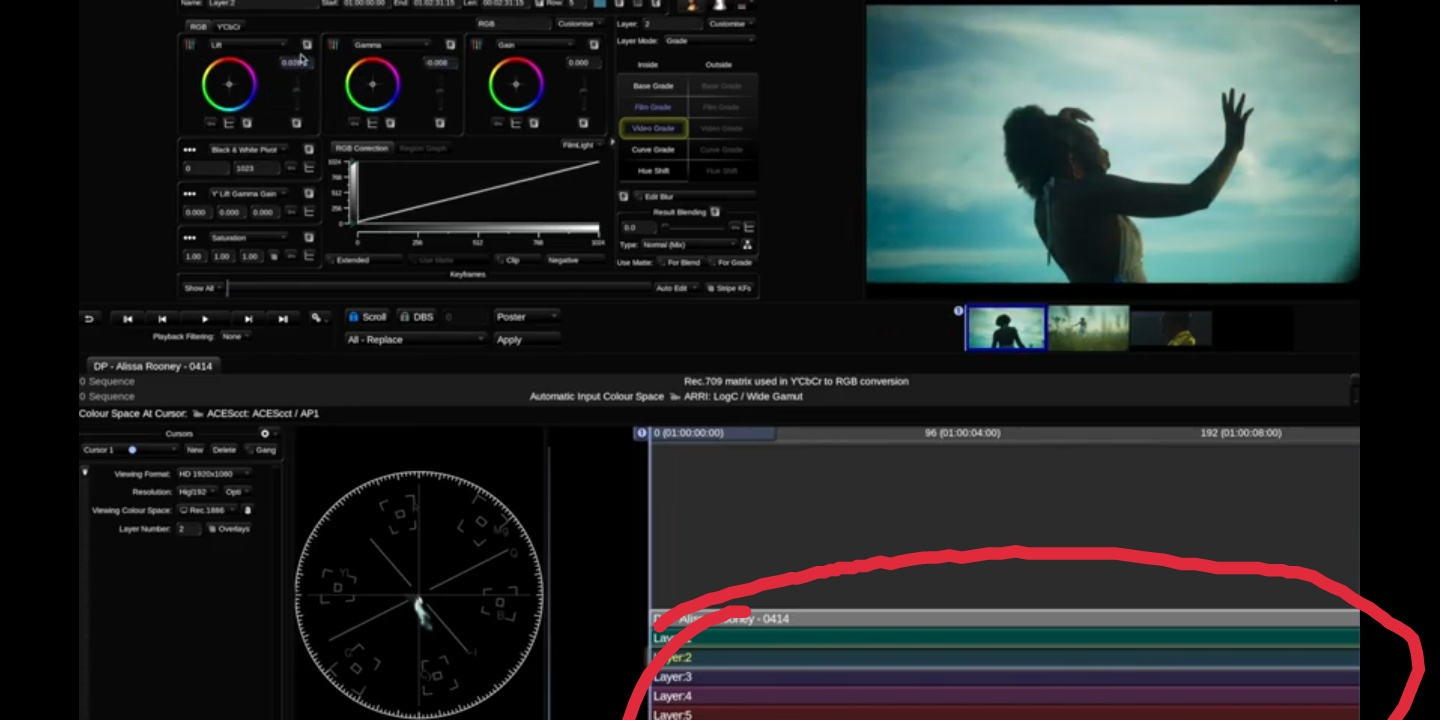
In preferences, where is the setting of getting colourful layers

-
Hi, Now I graded my all project in ACES but yet I can't understand the CDL workflow. Plz give me some suggestions to understand cdl workflow and give me some references of video tutorial of cdl workflow in Baselight Thanks in advance
-
Plz give me some suggestions and tips for a feature Film black and white grade...
-
Thank you sir, I am using Flanders display
-
Ok, I understand. But which one 4:2:2 or 4:4:4 full to legal...
-
In recent time I grade a web series keeping my Baselight SDI output setting 4:2:2 full to legal . When I saw the output in another machine keeping setting 4:4:4 RGB full to legal, it's look like shadow up and look my not poper grading. I don't understand why happened. As I know 4:2:2 and 4:4:4 effect only chroma label. Usually I kept my settings 4:4:4RGB full to legal. Plz help me to understand...
-
HDR Grading - Colour Reproduction on monitors
Soumitra Sarkar replied to Mark Mulcaster's topic in Baselight
Usually I grade in SDR in ACES workflow. And I keep my viewing colour space ACES : Cineon Log / APO. But after this article read I just test the those theree type of viewing colour space , 1) ACEScc : ACEScc / AP1 2) ACEScct : ACEScct / AP1 3)ACES : Cineon Log / APO I feel when I import Arri mov. rush in Cineon Log it's giving some clipping highlights than the other two and also in Cineon Log when I saturated too much it's became pixlete colour but the other two are not giving . I also want to know difference between the REC.2020:ST 2084PQ/Rec.2020/108nit REC.2020:ST 2084PQ/Rec.2020/600nit REC.2020:ST 2084PQ/Rec.2020/1000nit REC.2020:ST 2084PQ/Rec.2020/2000nits REC.2020:ST 2084PQ/Rec.2020/4000nits And when they use. Which viewing and mastering option is correct for HDR10 and Dolby Vision Grade -
I am using Baselight v5.2 and want to use Display look American night and negative look. My scene workflow is filmlight authorise Filmlight T-log/E-Gamut workflow and using T-Cam DRT. But when want to use Display look it's totally different look form the other workflow and all Colours are clipping . It's also same problem in Arri log C/wide gamut and viewing P3 colour space workflow but when I grade in DCI P3 working and viewing colour workflow look fine. Is there any setting for use Display look in T-cam workflow. thanks in advance....
-
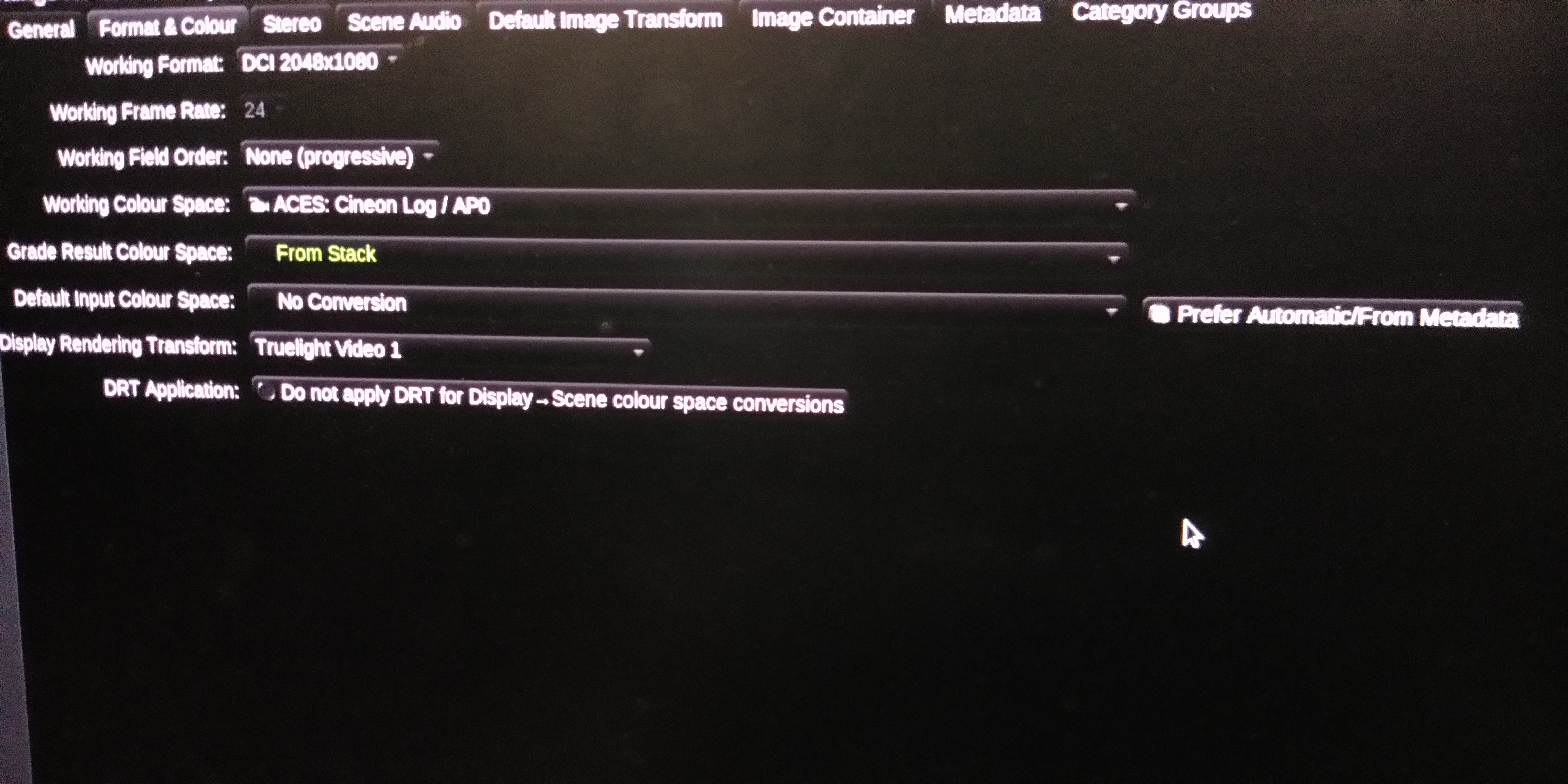
I am came from telecine style grading system. Now I want to shift my workflow to scene reffered colour space. In ACES I use Truelight video 1 DRT as give some low contrast. But problem is that when I import some type of shots that have pick highlights colour the highlight colour are cleping and that can't recover. I also use other all DRT but problem is same. Specifically red or blue colours are cleping. For this reason lots of DOP are not want to move in ACES but ACES is future. How I fix the problem. Is there any HighlightFix CTL in Baselight and how I get it and install it in Baselight
-
If I am wrong... P3 in 2.6 gamma and rec709 in 2.4..when you grade in rec709 and project in theaters how its look as same as grade.. I think it would be gamma issue
-
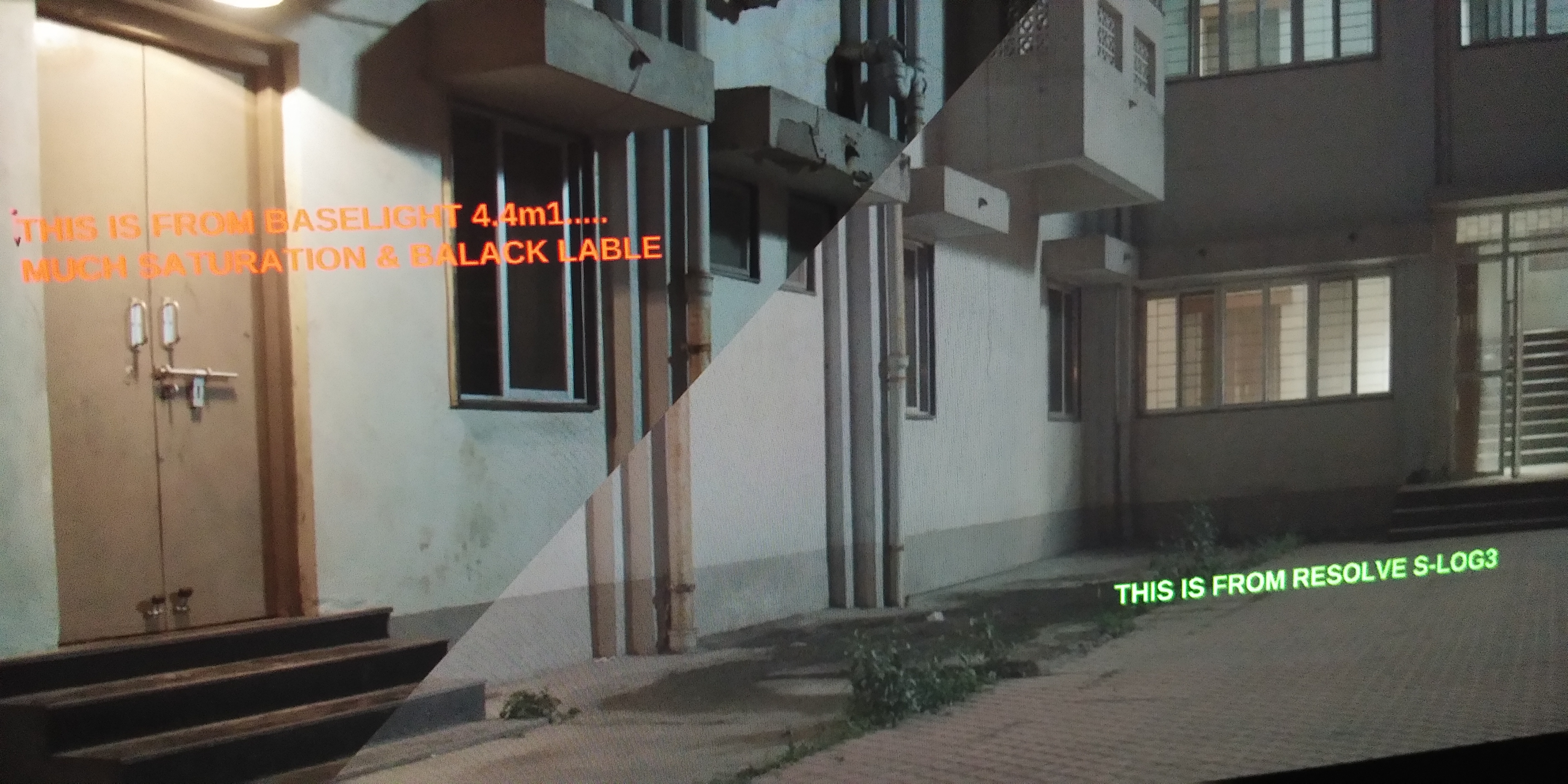
I am using Baselight 4.4m1. When I try to desaturate the shadow and Highlights by the the HSL Curve 'Lum VS Sat' ... then I was difficult to me because in our Baselight system there was no any 'Lum VS Sat' curve tool like as Resolve. In Baselight I find only the 'light VS Sat' curve by which tool I can't desat the highlight or shadows.. How I can do this with curve.... Not by use Any key
-
Try yours settings... But result is like that... My DoP saying, he hasn't shootings like that
-
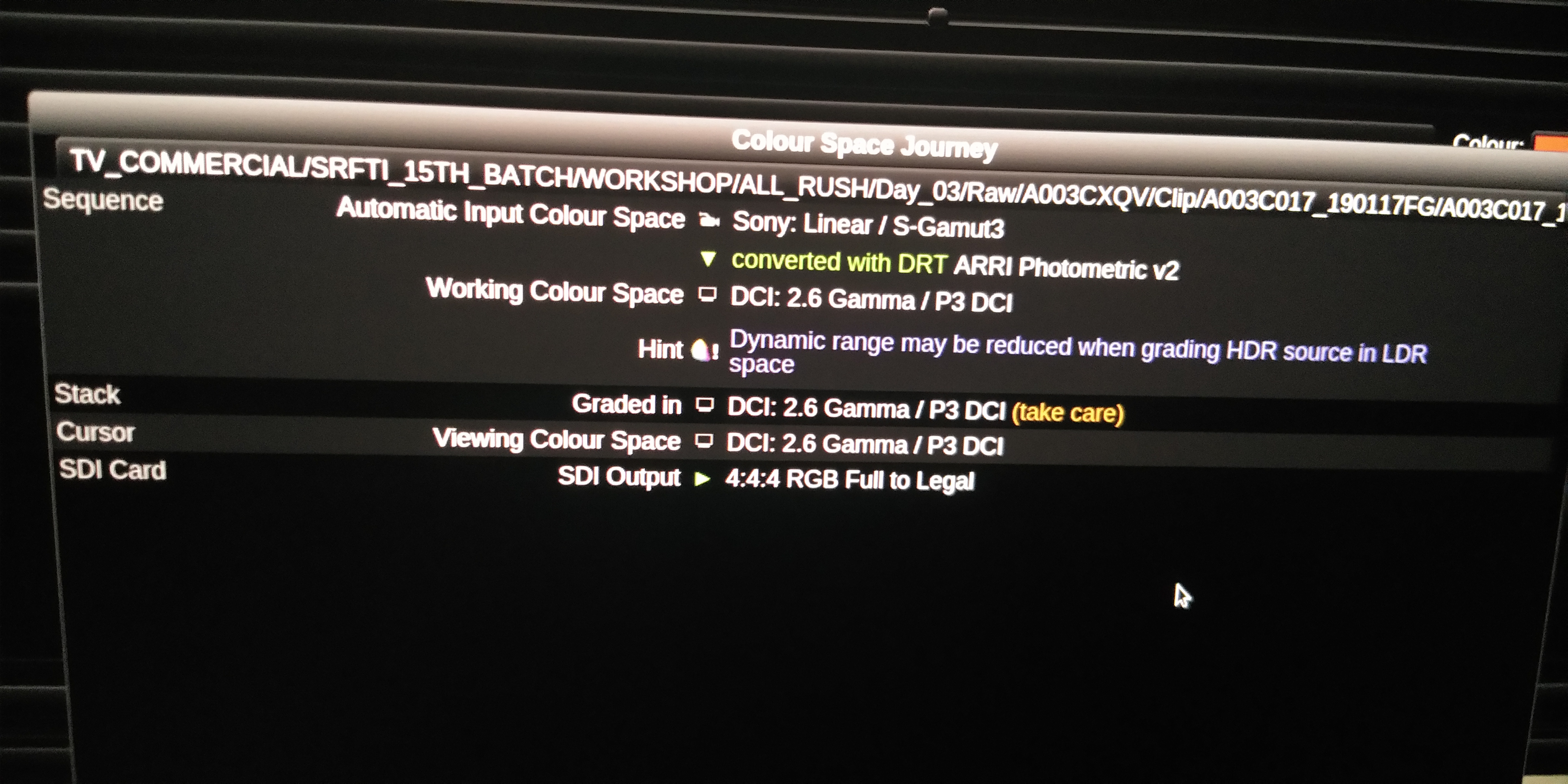
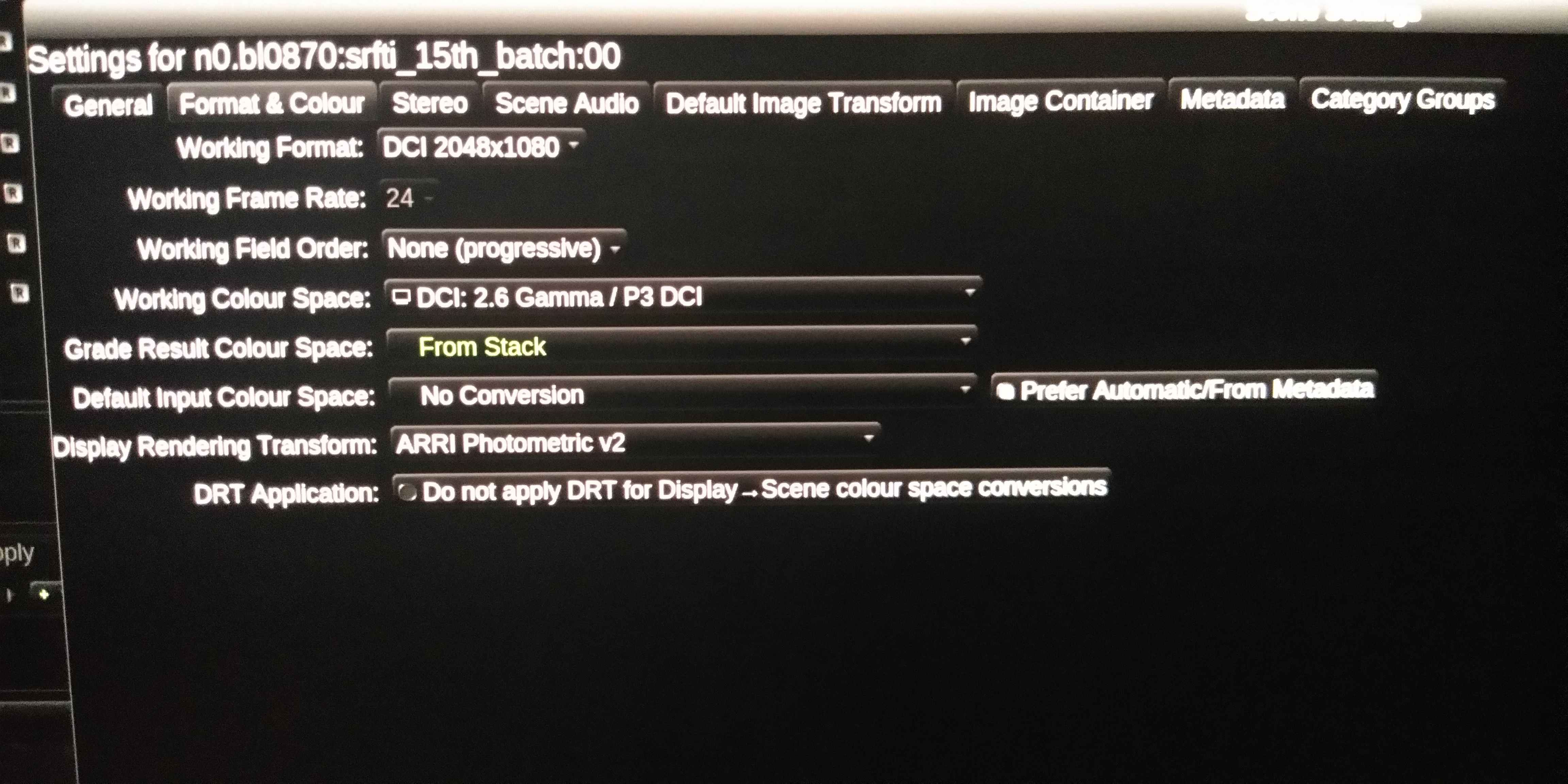
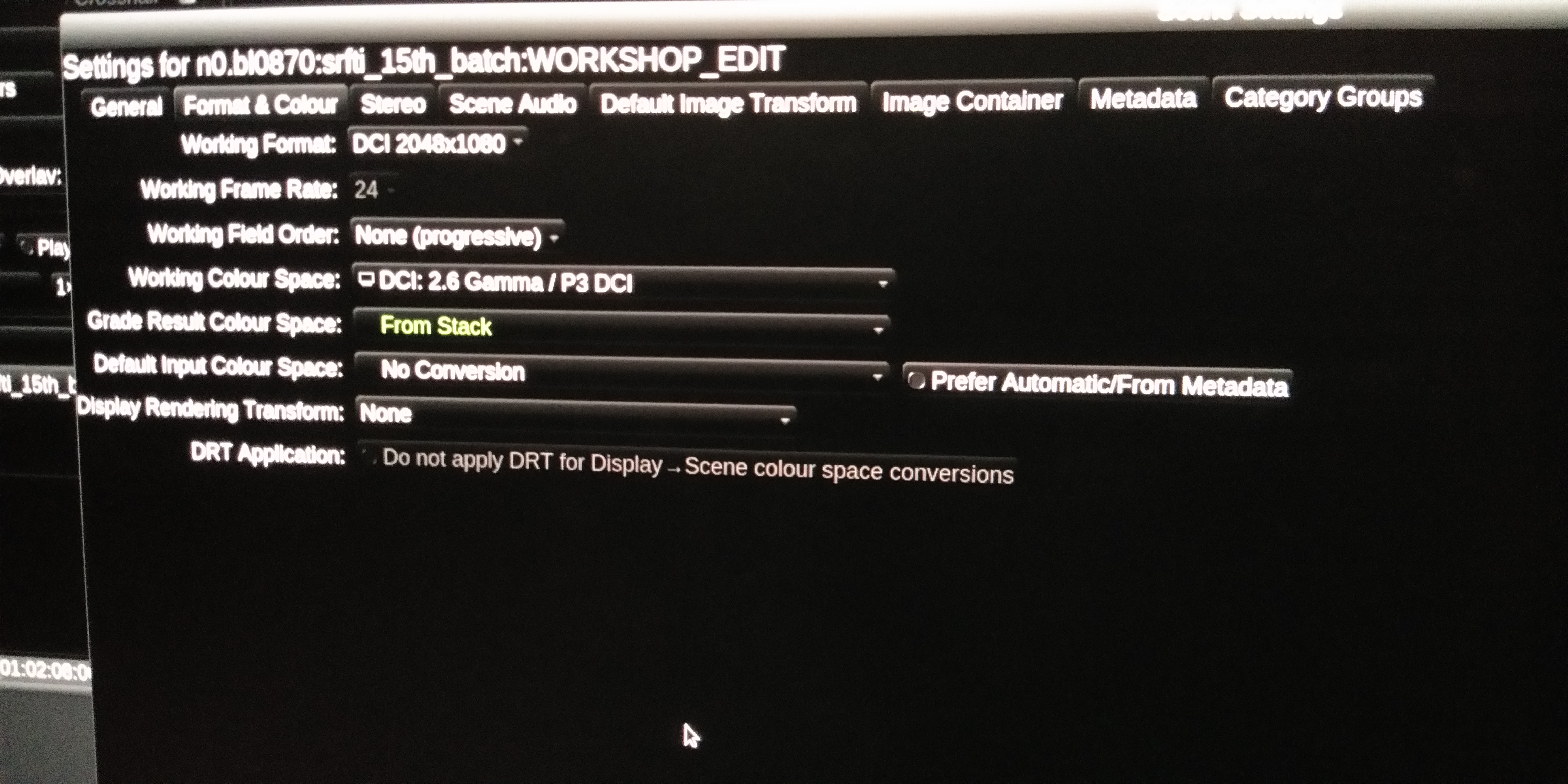
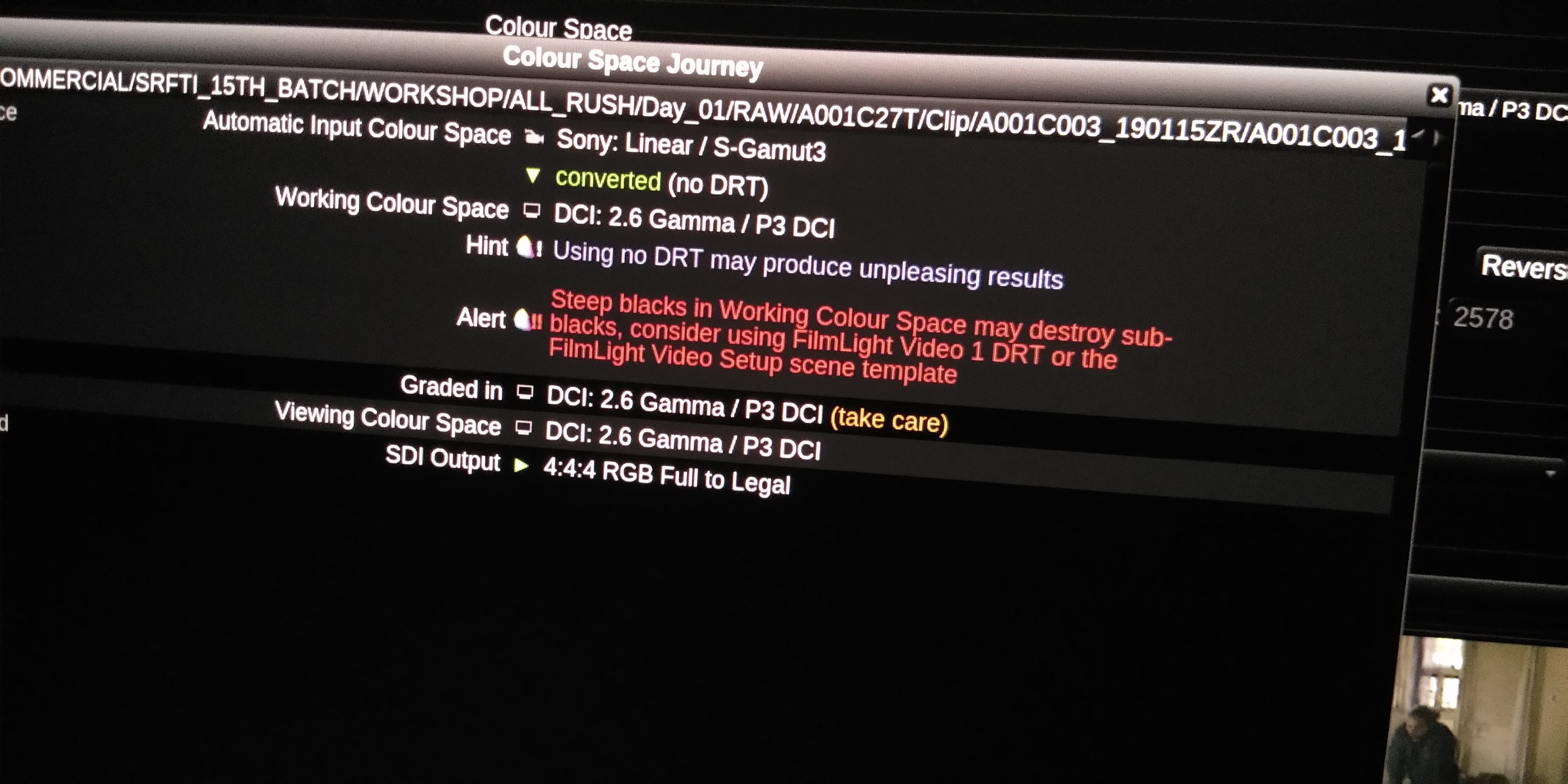
Hi, Nikola Stefanovic, can you send me the yours saying Scene Settings and Colour Space Journey as I can test it...
-
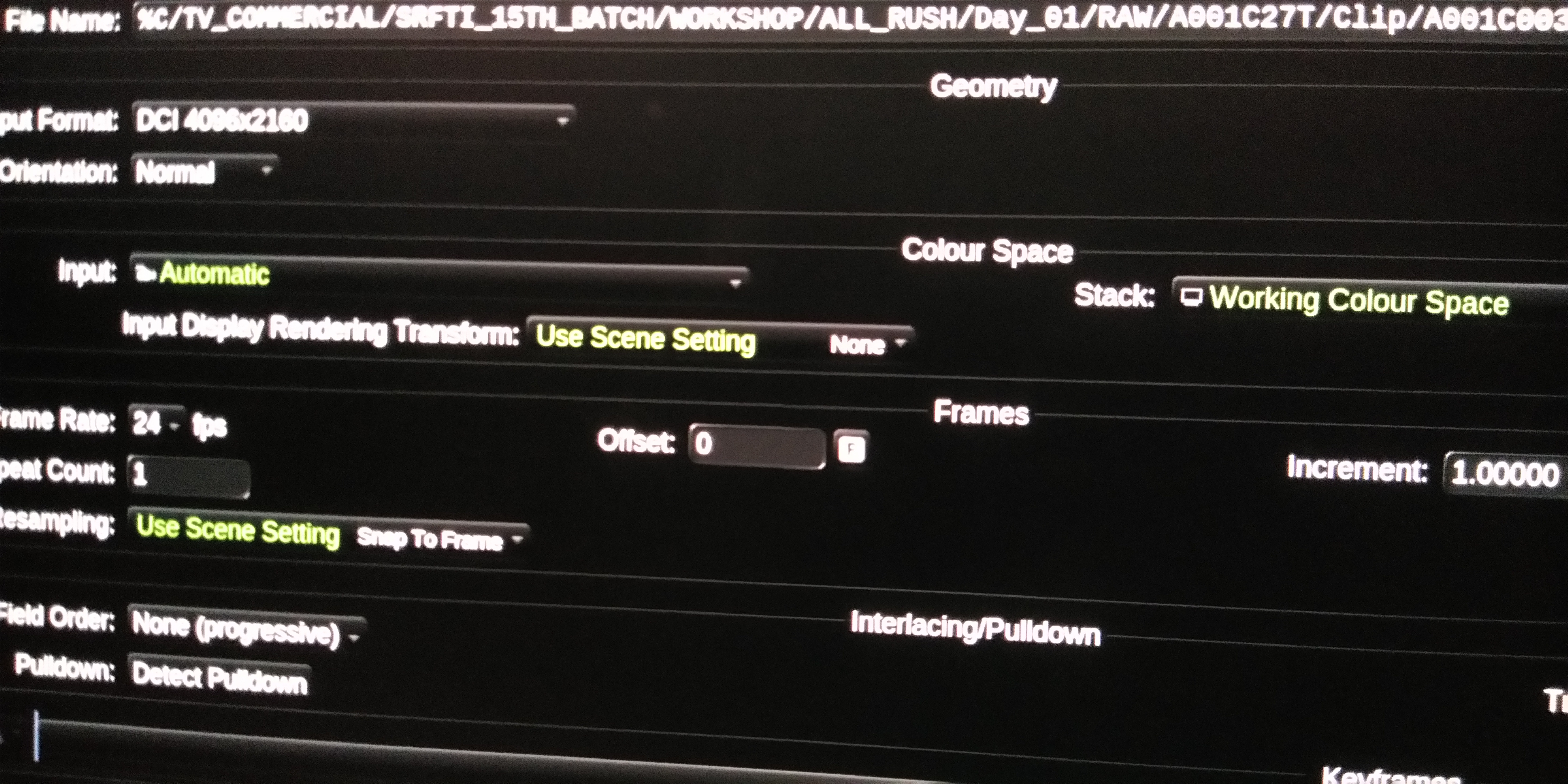
I am using Baselight from last 5 years. Basically in our film industry we are use mostly Arri or Red cameras. But in recent time a clint to me With his film shooting Sony F55 rush to grade. But when I import those Sony F55 clips, are looking not Poper S-log. My workflow viewing colour space DCI P3 and my working colour space is P3. Basically for Arri or Red raw rush I used imput formats are No Conversion. when I used imput formats No Conversion for Sony F55 clip they are looking linear. Instead of No conversion I set Atomatic for Sony imput formats but looking not Poper log which Resolve or other grading software are doing... My DoP was upset for me because he want to grade From log file. I Used Baselight 5.1 and results is same.. But we get the Metadata which have colour temperatures and ISO... not giving option to change S-LOG 2 or S-LOG 3...Also highlight are clipping and much bright than my DOP was shoot... How I get Poper log image... Plz help
-
Hi! When I import footage in Baselight 5.1 in workflow film light T-cam all cut view footage are looking too much clipping. Also after grading all cut view footage are looking clipping... In the time of log turelight workflow all cut view are looking fine... Plz help...
-
Hi, I want to buy professional lut for Baselight. PlZ let me know from which can I purchase the the advanced look lut. Is the colougrading central luts are applicable for Baselight. Plz send some link from which can I...
-
Hi, Suddenly I faced a serious problem in my 5years Baselight useing carrier. I bl 4.4m1 VideoGrade RGB GANG button getting disable or hide in both Bl software layout and Blackboard. I can't able to ungang the RGB gang button in videoGrade. I search many setting in Baselight preferance setup but I am getting fail to ungang this. Is there any setting BL. PLZ help me.......